As we saw from our previous posts, we could create an Actor using the actorOf method of the ActorSystem. There’s actually much more you could do with ActorSystem. We’ll touch upon just the Configuration and the Scheduling bit in this write-up
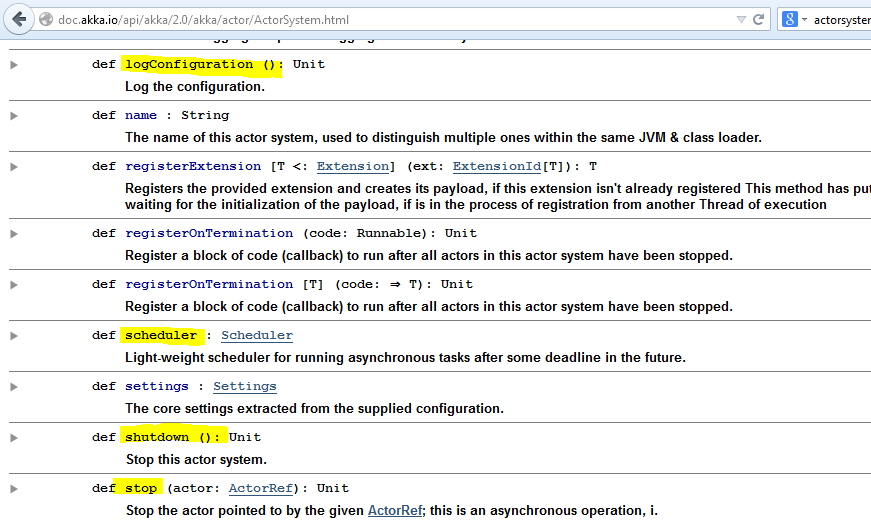
Let’s look at the subsets of methods available in the ActorSystem.
Configuration Management
Remember the application.conf file we used for configuring our log level in the previous write-up? This configuration file is just like those .properties files in Java applications and much more. We’ll be soon seeing how we could use this configuration file to customize our dispatchers, mailboxes etc. (I am not even closely doing justice to the power of the typesafe config. Please go through some examples to really appreciate its awesomeness)
So, when we create the ActorSystem using the ActorSystem object’s apply method without specifying any configuration, it looks out for application.conf, application.json and application.properties in the root of the classpath and loads them automatically.
So,
| |
is the same as
| |
To provide evidence to that argument, check out the apply method in ActorSystem.scala
| |
Overriding default configuration
If you are not keen on using the application.conf (as in testcases) or would like to have your own custom configuration file (as in testing againt different configuration or deploying to different environments), you are free to override this by passing in your own configuration instead of wanting the one from the classpath.
ConfigFactory.parseString is one option
| |
or
simply in your Testcase as
| |
There’s also a ConfigFactory.load
| |
If you need access to your own config parameters in runtime, you could do it via its API like so :
| |
Extending default configuration
Other than overriding, you could also extend the default configuration with your custom configuration using the withFallback method of the Config.
Let’s say your application.conf looks like :
| |
and you decide to override the akka.loggers property like :
| |
You end up with a merged configuration of both :
| |
So, why did I tell this whole story on configuration? Because our ActorSystem is the one which loads and provides access to all the configuration information.
IMPORTANT NOTE :
Watch out the order of falling back here - which is the default and which is the extension configuration. Remember, you have to fall back to the default configuration. So,
| |
would work
but
| |
would not get the results that you may need.
Scheduler

As you can see from the API of ActorSystem, there is a powerful little method in ActorSystem called scheduler which returns a Scheduler. The Scheduler has a variety of schedule methods with which we could do some fun stuff inside the Actor environment.
Schedule something to execute once
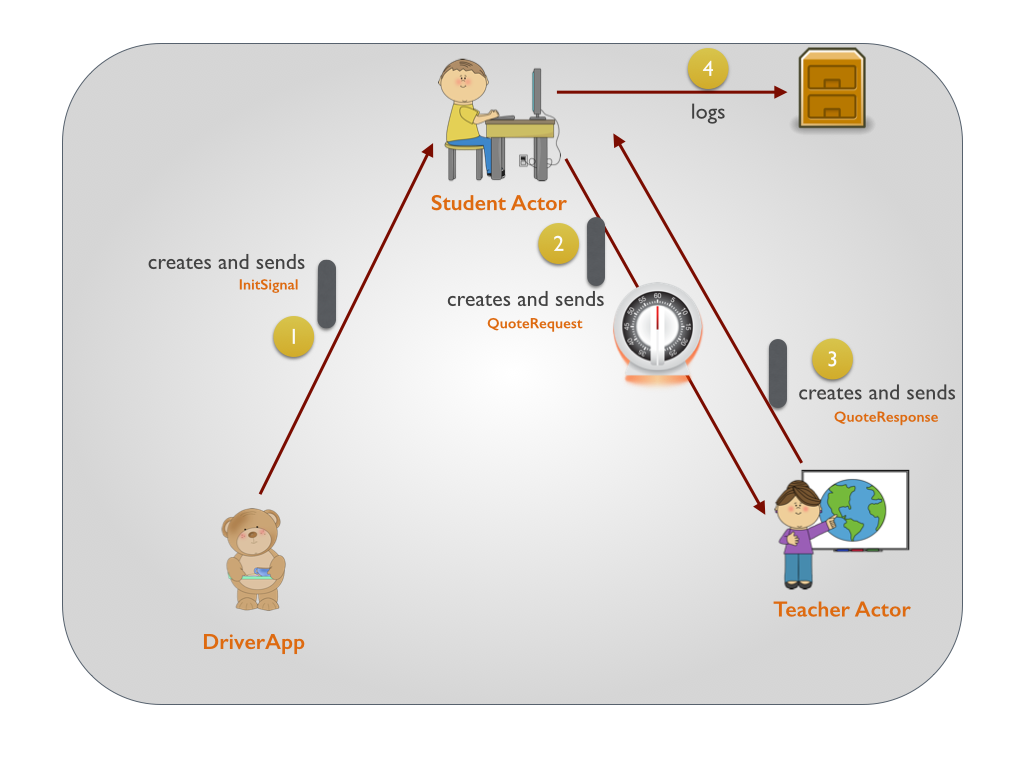
Taking our Student-Teacher example, assume our StudentActor would want to send message to the teacher only after 5 seconds of it receiving the InitSignal from our Testcase and not immediately, our code looks like :
| |
Testcase
Let’s cook up a testcase to verify this :
| |
Increasing the timeout for Eventfilter interception
Ouch. The default timeout for the EventFilter to wait for the message to appear in the EventStream is 3 seconds. Let’s increase that to 7 seconds now to verify our testcase. The filter-leeway configuration property helps us achieve that.
| |
Schedule something to execute repeatedly
In order to execute something repeatedly, you use the schedule method of the Scheduler.
One of the frequently used overload of the schedule method is the one which sends a message to the Actor on a regular basis. It acccepts 4 parameters :
- How long should be initial delay be before the first execution begins
- Frequency of subsequent executions
- The target ActorRef that we are going to send a message to
- The Message
| |
TRIVIA
The import import context.dispatcher is very important here.
The schedule methods requires a very important implicit parameter - ExecutionContext, the reason for which would be pretty obvious once we see the implementation of the schedule method :
| |
The schedule method just wraps the tell in a Runnable which eventually is executed by the ExecutionContext that we pass in.
In order to make an ExecutionContext available in scope as an implicit, we leverage upon the implicit dispatcher available on the context.
From ActorCell.scala (Context)
| |
Code
As always, the entire project could be downloaded from github here.